Facebook 210: Professional Profile, Personal Privacy

Note: This post is part of the Facebook curriculum at Social Media University, Global.

I have written previously that the ability to segregate personal and professional friends in Facebook will be essential to its growth into the all-purpose social and business networking platform. I also said this separation was logically required if Facebook is to accomplish its goal of accurately representing real-world relationships in the online environment. The reality is not all friends are the same.

Facebook made some progress toward this goal in December when it introduced Friend Lists, which enable users to group friends according to common characteristics. So, for example, here’s my list of Friend Lists:

But that only accomplished half of the goal: grouping is great, but the real need was to have different privacy settings that enable users to fully engage in Facebook personally and professionally without worrying about their work colleagues or customers getting “too much information” about their past or present extracurricular activities. What if a high school friend writes on your Wall and calls you by a nickname you’ve tried to put in your past? Or a college buddy tags you in a picture that you now find embarassing? The only solution was a single limited profile.

About a month or so ago, Facebook took the next step by enabling users to specify different privacy settings for particular groups or individuals. At the time, however, some users said the settings were hard to figure out. And I was busy at the time with launching a new work-related blog, so I didn’t have time to work with it.

Now that I’ve explored the privacy settings, I have to say Facebook has done a good job with implementation, and I’ve developed this 200-level course for Social Media University, Global students. The slideshow below includes an audio track, in which I describe:

  1. The societal trends that support development of a unified personal/professional networking platform
  2. The barriers to adoption of such a platform
  3. How Facebook has addressed the potential concerns
  4. How I have implemented these privacy controls to create an all-purpose networking site on Facebook, including the rationale for which portions I have made off-limits to professional friends.

Homework Assignments:

  1. Join Facebook if you haven’t already done so, and enroll in SMUG by joining this group.
  2. Add me as a friend. I will add you to my “Blog Friends” list, which has the same privacy settings as my “Professional Friends” list.
  3. Create your own “Professional Friends” or “SMUG Friends” list in Facebook, and adjust your Privacy settings either according to what I’ve done, or in a way that makes sense to you. Add me to that list.
  4. Send me an e-mail message when you’re created that list and adjusted your privacy settings, and I will reply and send you a screen shot of your Professional profile in Facebook.

In this way, Facebook can be both your souped-up Rolodex (and the way you represent your personal brand on the Internet), while still allowing you to make personal, non-professional connections. LinkedIN, by contrast, only allows one kind of connection: professional.

What do you think? How would you adjust your privacy settings for professional networking in Facebook? Are there still elements in Facebook you would like to be able to make off-limits to professional colleagues and customers?

Add to FacebookAdd to DiggAdd to Del.icio.usAdd to StumbleuponAdd to RedditAdd to BlinklistAdd to Ma.gnoliaAdd to TechnoratiAdd to FurlAdd to Newsvine

USA Today on Religious Podcasting

Photo: Oliver Lavery

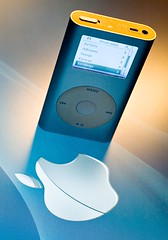
Last week on the way back from San Francisco I read an interesting article in USA Today called “Religious Teaching Straight to Your iPod” that began as follows:

The Rev. Bruce Walker preaches to a congregation of fewer than 100 people in Greenville, S.C., but people all over the world listen to his sermons via podcast.

Evangelists have long used the airwaves to get their messages out to a mass audience. But now, podcast technology is opening the doors to a wider variety of religious teaching than ever before, available on demand and delivered automatically to the computers of a growing number of Americans hungry for spirituality.

A survey last year by the Pew Internet & American Life Project found that more people used the Internet to look for religious and spiritual information than to download music, participate in online auctions or visit adult websites.

While I’m skeptical of the relative “markets” for spirituality vs. smut, I’ve written before about the strong potential for churches to use podcasting as an alternative to broadcasting over the airwaves. And because music typically has copyright restrictions designed to protect profits, and because few pornographers are altruistically motivated to give their content away, these two sectors are probably less-suited for podcasting. Churches, by contrast,  generally want as many people to hear their messages as possible, so religious content is ideally suited for this environment that encourages linking and sharing.

One of the main drawbacks of broadcasting is that sermons rarely follow the exact half-hour or one-hour format required for terrestrial or satellite radio. As a result they are either trimmed to fit, or may be stretched over two days, with considerable overlap. Neither of these solutions is ideal.

With a podcast, you don’t need to choose between redundancy or loss of meaningful portions of the message. If the sermon is 33:28, that’s fine, and so is 42:53. In fact, there’s no length that doesn’t work. A podcast is like TiVo for audio. Your listeners can partake whenever it fits their schedule, and you don’t need to meet a mass media-induced time limit. And pastors are already delivering the sermons; it’s just a matter of recording an existing activity, so there’s also no need to produce filler material to pad a broadcast slot.

Technology can’t replace genuine in-person fellowship, but it can enable more effective distribution of content at a lower cost, and far beyond the radius of a local radio tower.

The USA Today article mentions SermonAudio.com as a hub for Christian content, with a reasonable cost of $29.99 a month for churches to upload and distribute their messages. While that’s certainly not an extravagant cost, considering that $360 a year is far less than what you might spend for a single 60-second spot on a major commercial station in many local markets, churches do have cheaper alternatives, as SMUG podcasting curriculum students will discover. You can publish a podcast for $20 a year through the method I will be demonstrating, and to learn how to do it I have an offer for SMUG students to produce and distribute their own podcasts at absolutely no cost.

Meanwhile, if you’d like to check out some religious podcasts, here are the ones I recommend:

  • Desiring God Sermon Audio, featuring Dr. John Piper. This is perfect for the podcast medium because the messages are highly variable in length. In fact, as I wrote previously, Desiring God decided to do radio without radio and focus on the podcast because it was more effective.
  • Here are two others that are podcast-delivered versions of what goes over the air:
  • Renewing Your Mind, a radio program from Dr. R.C. Sproul
  • Truth for Life, featuring Alistair Begg.

This is smart, too, because it multiplies the geographic and temporal reach of the programs for almost no cost. They’re already producing the audio; the podcast just lets people subscribe to have it delivered conveniently instead of requiring listeners to tune in at a specific time.

Technology may not be completely values-neutral, but it is highly adaptable. Typically pornographers precede pastors in perceiving the potential of technology, but this USA Today article indicates that religious podcasting is gaining widespread adoption.

Podcasting 104: Adding ID3 Tags to Your Audio Files

Note: This course is part of the Podcasting curriculum for Social Media University, Global (SMUG). By completing this course of study you will learn how to produce a podcast of your own without any technical assistance, and without any out-of-pocket expense.


Assignments:

  1. Download iTunes if you don’t already have it
  2. Import the audio file you created in Podcasting 103
  3. Modify the ID3 tags to fit your podcast description

Tax Time and Weekend SMUG Class Readings

One of the nice simplifying factors about running a tuition-free online university is that you don’t need to fill out a request for 501(c)(3) status or other federal tax-related forms. With no revenue, the Internal Revenue Service isn’t interested in us. We can focus on our non-profit educational mission.

Alas, the IRS has not shown the same disinterest in my personal life, so in addition to attending some of my daughter’s basketball and volleyball games this weekend, I’ll also be doing this:

So while I’m meeting my obligations to the U.S. Treasury and the State of Minnesota, it’s a good opportunity for you to catch up on some SMUG homework and extra-credit readings:

First, here are the most recent SMUG class offerings, in the Podcasting track

During the past week your Chancellor was continuing his education (and hopefully helped some others with theirs) at the Bulldog Reporter Media Relations Summit 2008 in San Francisco. Here are some of those highlights, and while they don’t involve direct homework assignments, you will find them helpful for your capstone project:

I’ll also maybe let you know how long TurboTax took. Of course no self-respecting do-it-yourself on-line Chancellor would do anything but electronic filing. I’ve used TurboTax before (though usually not this close to the deadline), and I like how it carries forward my information from year to year. Hopefully its servers won’t be slammed by fellow procrastinators.

Driving While Blogging

Once concern people have with starting a blog is whether they will be able to keep it fresh and updated. One partial solution to this problem is Utterz. My friend Chris Heuer introduced me to this service, which he uses quite frequently on his blog.

The audio post is one I did on the way home from the Rochester Airport last night. One drawback, as I mentioned, is that adding text like this, or links, or a title like the “Driving While Blogging” above, requires you to still go to your blog and edit. You can set some default categories for your Utterz posts, but tags also have to be added manually.

I’m going to experiment some more with Utterz, using a picture uploaded from my camera phone to combine with the post. I guess you can have video, too.

Maybe I’ll suggest Utterz to my daughter, who seems to have trouble keeping The Borg Blog updated.

And no, I’m not typing this part while driving…I’m editing the orginal post while riding the bus to work on Thursday morning.

Mobile post sent by leeaase using Utterz. Replies. mp3