Gluten-Free Cake Mixes Coming

In my work at Mayo Clinic and working with our Sharing Mayo Clinic blog I got to meet Sheila Robb, a Twin Cities patient who is a former Miss Austin (Minn.), which also happens to be the world headquarters of SMUG. Here is Sheila’s story on Sharing Mayo Clinic.

gf_images_box_devils

As she mentions in the video, Sheila works for General Mills, maker of Chex cereals and Betty Crocker mixes. As we got to know each other and I mentioned that I had celiac disease, she told me about the line of gluten-free Betty Crocker dessert mixes General Mills is developing. And when she returned for her check-up, she left a sample of these mixes (which I don’t think are generally available yet) in my office (I was away.)

Here’s a little video I shot tonight after taking one bite of the gluten-free Devil’s Food cake:

Again, I emphasize that the opinions expressed here are my own, and not those of my employer. But they’re also the opinions of my wife, Lisa, and my son, John, who each had a piece. I had two pieces.

I appreciate when large organizations like General Mills, Outback Steakhouse and Chipotle Mexican Grill make it a point to accommodate those of us with celiac disease. I’m glad for the niche players too, who have served the celiac community and provided resources. But it means a lot when bigger businesses offer gluten-free options that really taste good and are reasonably priced.

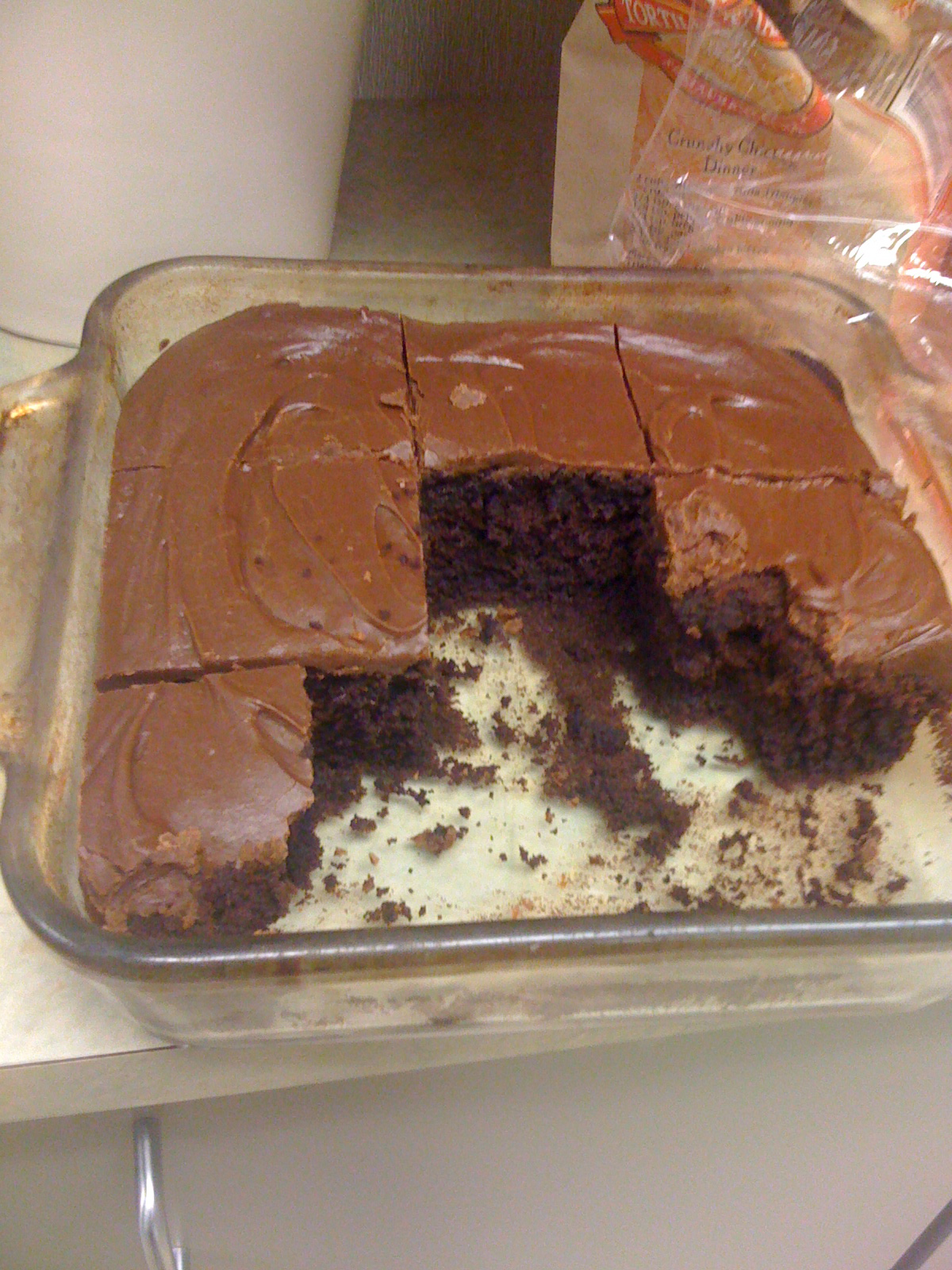
Update: In keeping with our Mayo Clinic policy on personal acceptance of gifts, I brought the rest of the cake to the office to share with co-workers. I also want them to see how good this is so they buy gluten-free products, so there will be more of them offered.
cake-in-breakroom

FREE Ragan Webinar on Mayo Clinic Social Media

On Tuesday, August 4, I’m going to be presenting a free webinar, sponsored by Ragan Communications, on our Mayo Clinic social media experience.

The webinar was announced this morning, and Ragan CEO Mark Ragan tweeted this afternoon that the response has been strong:

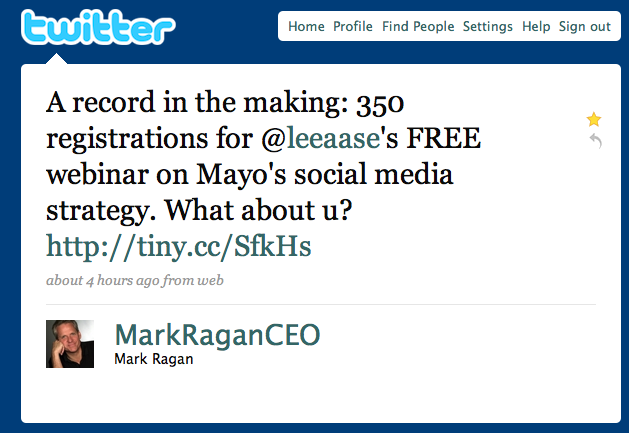
ragan-tweet

I have no idea what kind of record is in the making, or what the old record might be, but if you’re interested I hope you will sign up to join us. Please pass this along to anyone you think might find it helpful.

8 Steps to Sustainable Blogging

Note: This is a piece I contributed to a social media guide published by the Texas Hospital Association. It’s really very well done (the overall guide, I mean. You’ll need to be the judge on this particular article.) If you’d like to get a copy of the complete guide, which includes contributions from @EdBennett@ChrisBoyer@Billfer@DaphneLeigh and @JennTex, @reedsmith of the THA has them available for sale. You can order one or see the table of contents here. But meanwhile, here’s my contribution:

Many people are intimidated by the thought of starting a blog. Some of this angst results from misunderstandings: they think a blog is some mysterious creation, when in reality it is an easy-to-publish Web site that allows comments. But some of the trepidation results from a true understanding: starting a blog means you need to regularly update it to keep the content fresh.

The purpose of this article is to provide tips for developing a sustainable blog, not in the ecological sense (though the so-called “carbon footprint” of a blog is toddler-sized), but from the “How can I start small and give the blog a strong path to growth?” perspective. Here are a few tips:

  1. Start with a hosted blogging platform. I used http://wordpress.com and highly recommend it. You can get started for free, and for less than $80 a year you can have a blog with the same look as your main Web site that can host a podcast and that is mapped to a subdomain of your main site. But that’s the next step.
  2. Choose your URL and map to it. I mapped my personal blog to https://www.social-media-university-global.org/ and with my work we have blogs at http://sharing.mayoclinic.org/ and http://newsblog.mayoclinic.org/ and http://podcasts.mayoclinic.org/, for instance. By doing this, instead of the default yourname.wordpress.com URL, you preserve your blog’s ability to grow and move later to a self-hosted WordPress installation without having your incoming links break. That preserves your precious Google juice.
  3. Use video. I use and like the Flip video camera, which costs about $150 for standard definition and $230 or so for HD. Other cameras are available at similar prices. Particularly if you have busy subject experts you want to include in the blog, you’ll have much more success if you can embed video instead of asking them to write. And if they ask you to write for them, that will make your blog inauthentic. Being able to upload video quickly via a built-in USB connector makes it easier for everyone.
  4. Use lots of “tags.” Tags are labels you apply to your posts, which are your way of telling search engines what the post is about. This makes it easier for people looking for your information to find it.
  5. Use descriptive titles or headlines. In WordPress, your headline becomes part of the URL, which has search engine implications. So a cute, human-oriented headline may be less helpful from an SEO perspective. A way around this is to edit the URL for search, but still have the clever play on words in the title.
  6. Schedule posts in advance. You can take a vacation from blogging by using this feature in WordPress, which enables you to set a day and time when you want the post to be published. So you can work ahead and then take off on vacation, knowing that the content will stay fresh even while you personally refresh.
  7. Decide whether comment moderation is necessary. Akismet does a great job in WordPress of weeding out spam comments. If you don’t require comment moderation, your readers will have more immediate gratification for sharing their thoughts, and it will be less work for you.
  8. Use multiple contributors. WordPress and some other blog publishing platforms offer hierarchies and workflows, so you can share the publishing load among many users. Contributors can write, but posts must be edited and approved by, well…an editor. Authors can write and publish on their own. Administrators can add other users. Multiple contributors also helps with that vacation we talked about in #6.

Twitter Case Study: Finding GPS in a Hospital Haystack

I was in a meeting today with Kim from our Mayo Clinic Quality office discussing how social media and tools like the Flip video camera could be used in her work, and she mentioned that she had heard about a hospital in Texas that was giving GPS units to patients when they checked in, so they could more easily navigate to their appointments.

She said she had been wanting to track down the name of that hospital so she could get in touch and learn from the experience to see whether it’s something we might want to try, but that she didn’t really know where to start looking. So she had procrastinated for a few months at least because, as David Allen says in Getting Things Done, if you don’t know what the next action is, you can never move projects forward to completion.
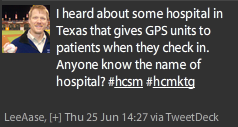
I asked Kim if she would like to try a little Twitter experiment, right then and there, with me putting out the call for the information on Twitter. She was game, so here was my tweet at 2:27 p.m. today:

leetweetforgps

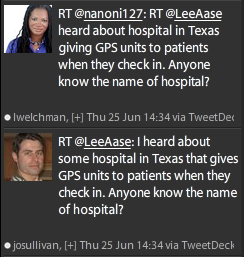
Within seven minutes my message had been re-tweeted five times, including these:

someretweets

…and I also had several other responses telling me about RFID options and a pilot program that puts GPS devices in the shoes of Alzheimer’s patients to help track them if they go wandering.

By 2:39, 12 minutes after my original tweet, I had what I think is likely the definitive answer:

gps-answer

But besides the answer I was seeking, having asked the question on Twitter led to some new alternatives that I think Kim hadn’t been considering.

Lessons and Observations:

  1. Using relevant hashtags is a great way to have your tweet go to people beyond those who follow you directly. In this case I used #hcsm and #hcmktg. I’ve participated more in the former than the latter, but knowing about them enabled me to ask a relevant question in a virtual space where like-minded people gather.
  2. Investing time in Twitter builds capacity for future efficiency. The fact that I was familiar with Twitter, had some followers and knew some appropriate hashtags meant that I could find out in 12 minutes what had stymied Kim for several months. It’s possible that a new Twitter user with a question like that would get an answer, but likely only if a vendor had a Twitter search term set for “GPS.” Twitter isn’t a quick fix; it’s built on relationships. That takes some time, but once you’ve put in some effort you will see that the community will come to your aid.
  3. With Twitter, I didn’t have to know where to start looking, or who to ask. I asked my tweeps, and some of them passed it along to their tweeps. With email I would have had to decide where to send the message. With Twitter the message just seems to find the right people, provided you have started by putting in a little time to start a network.

Thanks to @stephaniethum, @nanoni127, @shamsha, @BethHarte, @JohnSalmonHUP, @josullivan, @lwelchman, @Cascadia, @lisacrymes, @DaphneLeigh, @DynamicRFID, @NickDawson, @tstitt, @mkhendricks, @MikaLofton, @mkmackey, @ljstarnes, and @gelogenic for participating today!

That’s the power of Twitter: 18 people coming together with no notice to discuss a topic and get an answer to a perplexing question (and to suggest other interesting alternatives) in less than an hour.

Guy Kawasaki Social Media Interview

I was honored a few weeks ago when someone I greatly admire, Guy Kawasaki, did a blog post highlighting one of my presentations about Mayo Clinic’s use of social media on the American Express Open Forum. Apparently he had seen it on Slideshare.net and thought it was worth passing along.

I’ve been a fan of Guy’s ever since I read Selling the Dream in the early 90s. He was the original Macintosh software evangelist, who led the effort to get developers to write software for a computer that didn’t yet exist, and that was going against the IBM juggernaut. As a Mac guy, you might even say he was a hero to me.

So I was pretty jazzed when he included my presentation in his blog post, and even more excited when he said he wanted to do something more in-depth to fill in the gaps that you don’t necessarily get looking at a series of slides. He posted that interview (which we did by email) today on the American Express site, and linked to it from How to Change the World, his personal blog.

I’ve learned a lot from Guy over the years, both from his books and his blog. I especially appreciate his tips on doing good pitches and speeches, and how to be a good panelist (although he puts it less delicately). I try to incorporate his lessons into everything I do in public speaking and forums.

So while he hasn’t actually heard me speak, I’m honored that he liked my slides, and it’s been great getting a chance to interact with him by email. I hope you find our conversation useful.