SMUG Super Bowl Ad and Social Media ROI

Here’s the Super Bowl Ad you didn’t see on NBC:

[youtube=http://www.youtube.com/watch?v=9_WIBoEf730]

Among the reasons for this omission:

  • The ad 34 seconds long, instead of the customary 30;
  • I was about $2.6 million short of the cash required to pay for the airtime; and
  • I created it during the Super Bowl today.

One of the ironies of social media is that everyone asks about the ROI, or return on investment. It’s an understandable question, but one of the points I make in presentations is that as I (investment) approaches zero, ROI approaches infinity, because it is calculated as follows:

ROI = benefits/costs

My cost of producing this stellar Super Bowl ad wasn’t exactly zero, but it was zero out-of-pocket. I already had invested $150 in the Flip video camera used to record it, and the production took a bit of my time and attention as I enjoyed the game .

I expect the benefits to be non-monetary as well, measured mainly in the satisfaction of getting more people involved in exploring social media. I hope you will use the ShareThis tool below to pass this post (with its embedded ad) along to your friends and co-workers who might benefit from becoming a SMUGgle, and invite them to enroll. I think it captures the essence of SMUG in a brief video snippet (but how did I manage to leave Blogging out?!)

Then we’ll see what happens to the SMUG enrollment, currently at 261 members of our Facebook group.

Updated: I originally had embedded the ad in the Facebook player, but I’m wondering whether that might be responsible for a SMUG slowdown, so I took that version down, at least for now. But you can see the higher-resolution Facebook version in the SMUG Facebook group.

Updated 2/3/09: Here’s the same video in a Blip.TV player. Another post coming on the topic of video players soon:
Blogging 123: Customizing Your WordPress Profile

When you create your username in WordPress or WordPress.com, it has to be all lowercase letters (or numbers) with no spaces. That doesn’t look very professional when you username is associated with a post or a comment on your blog or someone else’s. 

Fortunately, you can customize how you want your name to appear on WordPress (or WordPress.com) blogs, and the screencast below shows you how. It also shows you the process for uploading a photo (or Gravatar) to also be connected to your WordPress comments (or posts, if your WordPress theme includes Gravatars on posts.)

There are several other customization options to which I briefly allude in this screencast, but the two I’ve listed are the most important, in my opinion.

Update: You can view the screencast in the SMUG group in Facebook.

Help Me Help You Fight the FUD

In my presentation at Blogwell, at which I introduced our new Mayo Clinic blog for patients and employees, Sharing Mayo Clinic, I closed with a Jerry Maguire appeal:

[youtube=http://www.youtube.com/watch?v=p-oHuogx6_Y]

Many of the questions I got after the presentation, and that I get in other contexts from people wanting to implement social media programs at work, began something like: “What about the concerns that …” or “What about the fears that ….”

One of my points in response is that it’s extremely helpful to have external consultants who can help reassure leadership that the social media advocates in the organization aren’t crazy, and that lots of other companies and similar groups are using blogs and social media successfully, and without major problems. Shel Holtz and Andy Sernovitz helped us.

It’s also great to be able to point to examples of success, like Nuts about Southwest.

I hope Sharing Mayo Clinic can be the kind of example you can show your leaders, and say “See! If an established organization like Mayo Clinic is using blogs and Facebook and YouTube, we can too.” I’d love it if our example can help you fight the FUD (fear, uncertainty and doubt) barrier in your organization.

Of course, a big part of you being able to use our blog as an example of corporate blogging success is…well…for us to succeed.

You can help me with that in two ways: Suggesting Improvements and Spreading the Word.

Suggesting Improvements. In response to the post I did announcing the blog Thursday, SMUGgle Scott Meis (who I got to finally meet for the first time at BlogWell), left a good suggestion in the comments that I have implemented. It tripled the number of RSS and email subscribers we got in the second full day of the blog’s operation, as compared to the first. So, I hope you’ll check out Sharing Mayo Clinic, and I’d really appreciate any further suggestions you could offer on how we can improve.

Spreading the Word. Obviously building traffic to Sharing Mayo Clinic is our responsibility, and we’re communicating with our Mayo Clinic patients and employees about it. But if you would help spread the word by blogging or tweeting about it, or posting it on your Facebook profile or sending it to your friends, that would be fantastic, too.

And hopefully by helping me, I can help you fight the FUD.

Sharing Mayo Clinic

Sharing Mayo Clinic
Sharing Mayo Clinic

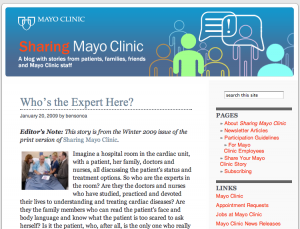
Today we take a significant step for Mayo Clinic, launching our “culture” blog for patients and staff, called Sharing Mayo Clinic. I’ll be showing it as part of my presentation at BlogWell.

Sharing Mayo Clinic (at sharing.mayoclinic.org) is in many ways the culmination of a process we’ve had in the works for the last few years, starting with our first podcasts in Sept. 2005. As you can see in the post announcing Sharing Mayo Clinic my colleague Elizabeth Rice published this morning on our Mayo Clinic News Blog, we’ve had some other significant milestones that have helped bring us to this point, such as establishing a Facebook page and a YouTube channel. (You’ll also see some video of me talking about the project.)

But in another sense, Sharing Mayo Clinic is less recent and more timeless; it’s a logical extension of what Mayo Clinic patients have been doing for more than a century. Word of mouth from patients is the number one reason people give as their source of information about Mayo Clinic. Like our Facebook page, this blog is just a new way for patients to share their stories.

Sharing Mayo Clinic also will be a way to feature the work and stories of Mayo employees in various roles throughout the organization, who all contribute to creating the Mayo Clinic experience for patients and their families.

The blog is a work in progress, and we look forward to seeing it grow into a hub for Mayo Clinic’s various social media platforms. We have some ideas for new features and functionality once we’re past the launch stage, but I’d really like to know what you think of it so far, and how you think it could be improved.

Please check it out and give me your feedback! And I’d really appreciate it if you’d take the time to pass this along to your friends using the “ShareThis” icon below.

Self-Hosted WordPress Advantage: Part I

This evening as I left work I flipped the switch on my Domain Name Server to direct the SMUG domain to this self-hosted WordPress installation. Within about an hour it seems the traffic was being directed appropriately, as you see in the comments on the post below.

I had several reasons for making the change, and in addition to doing 300-level courses in the Blogging curriculum based on my experience in migrating to self-hosted WordPress, I’m going to plan to highlight some of those advantages I was pursuing.

One downside of WordPress.com is that it strips out all javascript, so I was limited in the kinds of widgets I could embed in the sidebar or within posts. So while I could include a single YouTube video (as in this Twitter 103 course), I couldn’t embed a playlist like the one below, which features several videos of Mayo Clinic patients and their families sharing their stories:

There’s no way to do that with WordPress.com! Pretty cool, huh?