Chancellor’s Choice Award: iPhone 3G

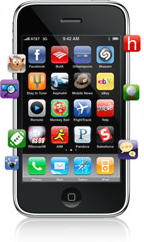
This won’t be a surprise to anyone, but the first Chancellor’s Choice award, in the category of Smart Phones, goes to the Apple iPhone 3G.
picture-7

I formerly used a Blackberry (and liked it), but was blown away by the iPhone. And since at least one of the future Chancellor’s Choice winners is an iPhone application, I can’t hardly give that without also honoring the platform that made it possible.

Here are the Top 10 Things I Love about My iPhone (and since Chancellor’s Choice awards go only to products that cost money, some of the free applications for iPhone are mentioned here):

  1. Easy sync with Outlook email and calendar. It’s just flawless. When a new meeting is added to my work calendar, it shows up on my iPhone calendar. And when I add an appointment on my iPhone, it syncs back to Outlook.
  2. Mail folder structure matches my Outlook folders. I can read and delete emails in batches when I’m on the go, and when I get back to my laptop, the ones I deleted from my iPhone aren’t in Outlook either.
  3. Built-in iPod is elegant. If I get a call while listening to music, the sound fades automatically while I answer and talk on the phone, then resumes (again with gradual volume increase) exactly where I was.
  4. Maps program and location services provide a usable GPS system. Garmin on a budget, without turn-by-turn audible directions. But I’ve used it to find my way in unfamiliar surroundings.
  5. The Facebook application. Great way to upload photos to Facebook from the built-in camera.
  6. Did I mention the camera? It’s not super-high resolution, but it’s decent. And it syncs nicely with iPhoto and connects with Facebook, Twitter, WordPress or other applications.
  7. Did I mention the WordPress application? That’s really slick, too. Great to be able to do photo blog posts on the go. 
  8. The Calculator app is excellent. When you hold the iPhone vertically it’s a standard four-function calculator. When you rotate to landscape mode, it becomes a scientific calculator with trigonometry functions. No need to remember SOHCAHTOA.
  9. You can do SMS texting while on a phone call when using the earbuds that come with your iPhone. Try that with a regular phone.
  10. Even though I often don’t use the 3G connection to save battery life, when I do turn it on the speed boost for applications that access the Web is impressive.

Unlike every other Chancellor’s Choice winner, the iPhone isn’t cheap. But I still believe it’s an excellent value, particularly since it provides a platform for lots of other innovations. The minimum price is $199 to $299, plus a two-year service contract with AT&T. I recommend the 16 GB version, because it only adds about $4 a month to the overall cost, but I’ve never wished I had less memory. But if the 8GB is all you can afford, go for it. 

What other free iPhone applications do you like? Or what other paid applications would you nominate for the Chancellor’s Choice recognition?
Announcing the Chancellor’s Choice Awards

One of my basic approaches to social media is to maximize what can be done for free. I do this partly to prove a point; to eliminate excuses by showing how much you can do without spending a penny (and without requiring the support of IT).

And of course the other reason is: I’m cheap.

Having seen a recent article by Walter Mossberg of the Wall Street Journal with a list of his favorite iPhone apps, and having just spent money on an iPhone application for the first time last weekend, I thought it would be good to create the Chancellor’s Choice Awards.

Chancellor’s Choice recipients are social media tools that have caused me to pry out the wallet and flip over the debit card to get the security code…to actually spend money on social media. These aren’t annual awards; I’ll present them whenever I buy something in social media and find it worth the cost. And they’re not subject to vote: they’re just my personal opinion (not that of my employer or the SMUG student body.) I welcome your nominations or contrary opinions, however. Leave them in the comments.

The Chancellor’s Choice award also carries no cash value, and there’s no lovely statuette or red carpet media gathering. If the recipients would care to offer tear-filled speeches in response, they can send me a link to their uploaded video, and I’ll update the award post to embed it.

The first Chancellor’s Choice award will be presented tonight. If you have non-free social media tool nominees to suggest, share them in the comments below.

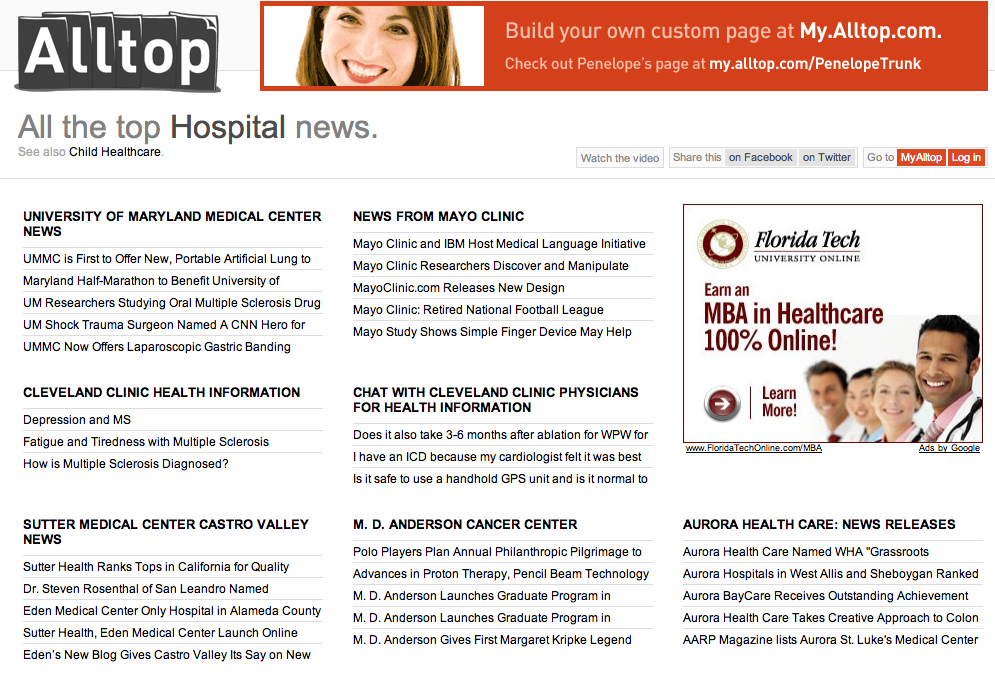
Alltop Releases New Top Hospital News Site


Alltop Top Hospital News Page

In response to suggestions raised in the #hcsm group discussion on Twitter, Alltop has created a new site, hospital.alltop.com, that aggregates RSS feeds of news releases from several top hospitals. You might want to bookmark or “favorite” it.

For people working in healthcare public relations, it’s a good way to see at a glance what kind of news your peers are releasing. It’s also a good news source for others interested in healthcare news. Besides Mayo Clinic, other institutions featured at launch include University of Maryland Medical Center, Cleveland Clinic, Sutter Medical Center, M.D. Anderson Cancer Center, Aurora Health Care and about 20 others. 

If you’re unfamiliar with Alltop, check out my earlier post, “Alltop: RSS without the RSS.”

Thanks to @guykawasaki and the Alltop team for creating this site, and to Tom Stitt (@tstitt) for his leadership in helping to make it happen.

Healthcare Associations and Social Networks

Last Tuesday I had the opportunity to participate in a two-part panel discussion on Healthcare and Social Technologies, sponsored by ASAE & the Center for Association Leadership. It was part of the organization’s first Healthcare Association Conference, bringing together leadership from many different medically oriented associations. Acronym, which is ASAE & the Center’s aptly-named blog, has posts recapping session one and session two.

Ordinarily when I attend a conference I try to live-blog the sessions I attend, and for my presentation I create a post in advance to publish just before my session. But this was such a fast-moving discussion (even though the two sessions were 2.5 hours with an hour of that as Q&A, I think they could have gone much longer), that it wasn’t possible for me as a panelist to even surreptitiously tweet.

So I’m writing what I think will be a few posts with observations and highlights of the sessions from my perspective, a few days after having arrived home from Baltimore, having digested both the discussion and Jeff Jarvis’ What Would Google Do?, which also has important related implications for associations and healthcare.

Big Idea #1: As Frank Fortin, Communications Director for the Massachusetts Medical Society (which publishes the highly respected New England Journal of Medicine) said, “Associations need to figure out what business they’re in.” He has a blog post to that effect here.

By confusing how they do their business with what it really is, businesses lose perspective of why they got customers in the first place. They build their businesses around the artifact of the transaction, rather than on the value they deliver.

What is the business of the association? You might argue it’s publishing journals, holding conferences, or doing trade shows. But you would be wrong – very wrong.

I’m sure no medical journal is more lucrative than the one Frank’s organization publishes. But as Jarvis says, “Beware the cash cow in the coal mine.” Often the existing business model hamstrings organizations, keeping them from exploring new services lest they “cannibalize” their current profitable operations. But again, as Jarvis points out, if you resist cannibalizing your own profitable products or services, that just means another organization will feast on yours.

The example of Craigslist and newspaper classified ads is appropriate here, and it’s one I mentioned in the session. I recall paying north of $2,500 a few years ago for a job-recruitment ad in the Minneapolis Star Tribune. Then monster.com came in with price of a few hundred dollars, and its candidate pool wasn’t limited geographically as the newspaper’s was. And now Craigslist makes the ad free in most markets, or at most the charge is $25.

Great for employers. Bad for newspapers. They (understandably) wanted to milk the cash cow as long as they could. But now the damage is irreversible in the loss of classified ads, because how could they possibly undercut the free service Craigslist provides?

Here’s the topper, as Jarvis noted (quoting the Wall Street Journal) in his “Inefficient Print” post on Buzzmachine:

Last March, Baylor Health Care System, a large Dallas-based nonprofit, began purchasing keywords on Google, Yahoo and employment-related search engines SimplyHired.com and Indeed.com. The search-engine ads generated more applicants, at less cost, than the other recruiting methods, says Eileen Bouthillet, director of human resources communications.

In the first six months of the program, Ms. Bouthillet says, the search-engine ads delivered 5,250 applicants, at an average cost of $4. By contrast, Baylor paid an average of $30 for each of the 3,125 applicants who came via job boards, and $750 each for the 215 applicants who replied to a newspaper or magazine ad.

As a result, Ms. Bouthillet says Baylor has reduced spending on job boards and print ads. . . .

Was that last line really necessary?

Application: As we discussed in our sessions, social networking tools have the capability of providing many of the benefits members have traditionally received from belonging to associations. If associations don’t provide for easy connection among their members, someone else will.

So think about what business you’re in, and what unique value you can provide to your members. Take into account where they are on the spectrum of social media propensity, as outlined in Groundswell, so you don’t create platforms your members won’t use. 
You may want to use general purpose sites like Facebook or LinkedIn, or create-your-own social network sites like Ning, or even one of the many so-called “white label” alternatives that let you create a standalone network. Or maybe what you really need is a blog.

But realize that in a world in which establishing and re-establishing connections is ridiculously easy (as the 29 members of my Austin High School Class of 1981 group in Facebook can attest), these tools are not just a threat to your current business model, but are great potential aids to help your organization (and its members) accomplish the goals you all share.

SMUG is Global

One of the benefits of self-hosted WordPress is the ability to run Google Analytics. The statistics package on WordPress.com is nice, but in Google Analytics you can get much more in-depth information about your blog visitors.

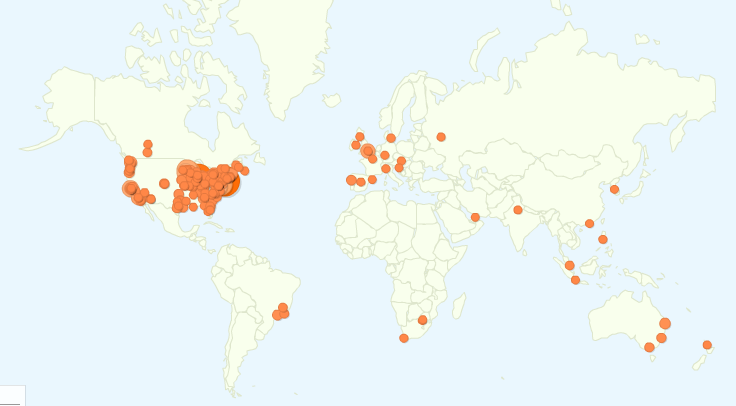
Here’s a map from Google Analytics, which shows the location of visitors to SMUG during March (click to enlarge):


The Global Reach of SMUG

While we definitely have some gaps in countries that have not yet enrolled SMUGgles, it’s neat that we’ve had visitors from every continent except Antarctica.

I’ll have a future post with more about Google Analytics as an advantage of self-hosted WordPress, but when I saw this map I thought it would be fun to share.

Thanks to SMUGgles across the globe for your participation!