Social Technologies in Health Care – Part IV

In Part III of this series, I offered a recommendation for health care associations with regard to Twitter:

Create a Twitter account for your association, if only for defensive purposes. Use Twitterfeed to automatically tweet. 

I think that was fine, as far as it went, and I think it is an essential step. But in the last two months I have seen immense potential for beneficial engagement by actively becoming involved with Twitter at the organizational level. It needs to be more than just a defensive measure.

I see Twitter being valuable not just for communication with members, but also for outreach to people who share your organization’s goals but may not yet be members. I believe it’s really worth your time to understand it, and to that end recommend the SMUG Twitter curriculum (or for an overview, going through the #tweetcamp2 course, for which the slides and accompanying videos from the Webcast archive  are embedded below.)

“Best of Blogwell” Presentation

I’m doing an update of my presentation to BlogWell at noon CDT today. Here are the slides. You can still register for the FREE audio conference here at the GasPedal site.

Here are a few links to highlight:

The relevant Twitter hashtag is #gaspedal, so please follow the conversation and feel free to tweet your questions or comments.

View more presentations from Lee Aase.

Patients and Social Media

In many ways, SMUG has been my personal laboratory for learning about social media and how I can apply these tools to my work at Mayo Clinic. I’ve been able to experiment with blogs, Facebook, Twitter, YouTube and other platforms with my personal accounts, which then helps me see how they can be used for a health care provider like Mayo Clinic.

So we’ve established a Mayo Clinic YouTube channel, a Facebook page, and several podcasts and blogs — including, most recently, Sharing Mayo Clinic.

As of Friday the 13th, however, I’m also approaching social media from the patient perspective: yesterday I was diagnosed as having celiac disease.

So what did I do to find good information about how to cope?

My first step, of course, was the celiac disease section on MayoClinic.com.

And I recalled that my team at work had produced a TV story about living with celiac disease, which is also on our Mayo Clinic YouTube channel:

[youtube=http://www.youtube.com/watch?v=yGmWf0et4hg] 

But I also turned to Twitter, and was amazed at the response.

@KimMoldofsky re-tweeted my call for help:
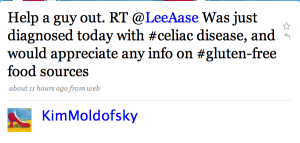
kimtweet

Bonnie Sayers (@autismfamily) alerted me to the #gfree hashtag and the Gluten Free Twitter Party she’s hosting on April 3.

Gluten Free Twitter Party

@FrannLeach shared a Gluten Intolerance group on Squidoo, along with some recipes.

Kayla Eubanks (@BallinOnABudget) told me about Pizza Fusion, and Nina (@lovingyouiseasy) pointed me to @wholefoods and @KarinasKitchen. Karina’s “The Morning after the Diagnosis” post on her blog was particularly helpful. Kristie S. (@KristieTweets) had a couple of suggestions, and Tom Stitt (@tstitt) helped me get an answer as to whether Coke is OK (it is!) I also found out about lots of resources available at celiac.com.

And because I Tweeted about it, my celiac disease diagnosis also was posted to my Facebook profile:
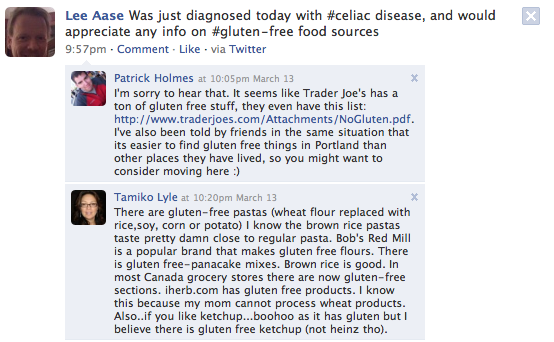
picture-19

…which led to several Wall comments (including a couple you see above that came within a half hour of my Tweet), and also some messages in my Facebook inbox. And I also found a Celiac Disease group in Facebook.

Some people are justifiably concerned about potential dangers of self-diagnosis through the Internet, but once a diagnosis has been made, social media tools are extremely powerful means of getting information and gathering support. 

As I write this, I’ve had my diagnosis of celiac disease for about 34 hours, and the learning about the condition I’ve been able to do in this time has been amazing.

And out of this experience, I’m also going to be getting my wife Lisa (@LisaAase) to use her Twitter account to participate in the #gfree discussions. She set up her account nearly two years ago, but has only done a dozen updates. And right now I’m her only follower. But now she has a reason to use Twitter, and I think she’s going to find it helpful in learning how we deal with gluten in our family diet.
Florida Hospital Association SMUG Extension Course

I’m delighted to be in Orlando today for a SMUG extension class, presenting a workshop for the Florida Hospital Association’s Florida Society for Healthcare Public Relations & Marketing (FSHPRM) at their Winter professional development workshop. My presentation runs from 12:30-2 EST.

The slides I’m using are embedded below. I’m told there will be wifi in the room, so I’m hoping many of the participants can take the opportunity to add their comments and questions even during the presentation, either in the comment section on this post or by tweeting using the #fhasmug hashtag.

We’ll see if we can address some of the questions and comments at the end of the presentation, but if any SMUGgles are following along remotely and want to chime in with your observations, you’re most welcome to participate.

A Few Resource Links:

Homework

Understanding that we likely have a wide range of social media familiarity among the workshop participants, I’ve outlined some options for your concrete action steps to make your the learning practical for you. I’m starting with basics and moving to more complicated or involved steps. Just go down the list and pick at least one thing you haven’t yet tried.

  1. Join Facebook. Facebook 102 would be a great place to start. You can request to join the FSHPRM group so you can all network and learn together. And of course I hope you’ll join the SMUG group, too.
  2. Get a Twitter account. Twitter 102 will take you through the process step-by-step. I have a bunch of courses yet to be added in the Twitter curriculum, but there are a few there to get you started, and you can follow me (@LeeAase) and/or @SMUG_U to keep up to date.
  3. Start a personal blog. Blogging 108 gives you the guidance you need.
  4. Try Yammer. Yammer is like Twitter for the workplace, and is limited to people who share your email domain. The Yammer curriculum has more background, but Yammer 101 gets you started.

If you’re one of those really risk-averse types who needs to completely scope out a situation before joining, you have two additional options:

  1. Begin the Core Courses, which are kind of the SMUG appetizer sampler platter. They’ll give you a hands-on taste of social media. Or, you can…
  2. Start the Podcasting curriculum, which takes you in 10 steps from an introduction to the podcast to having your own personal podcast listed in the iTunes store, all without spending any money. You can complete the first two courses without having to take any concrete action.

Finally, I hope you’ll enroll in SMUG so you can continue your social media exploration as a SMUGgle.

And if you’re on LinkedIn and would like to connect in that way (or perhaps leave a recommendation for me), that would be great, too. Here’s my public profile on LinkedIn.

Social Media 111: Video Sharing with Vimeo

YouTube is by far the most popular video sharing site in the  known universe. That doesn’t mean it’s the best one, but only that it’s one you can’t afford to ignore if you want your video to have the best chance of being seen.

Until SMUG moved to its self-hosted home, our video player options were limited, because wordpress.com essentially allows YouTube and not much else. You can’t embed a flash widget, which is what most video players are.

Now we have choices, and one I started exploring last night was Vimeo.

Here’s a bit of a review.

Continue reading “Social Media 111: Video Sharing with Vimeo”